And we know that all things work together for good to them that love God. Romans 8:28
Say the verse.
It’s already on the screen.
Aria is presentation software for churches. It listens to whoever is speaking and puts the verse, the song lyrics, the translation and the sermon notes on the screen by itself — while they are still talking. It runs every screen in the building, and the Bibles live on your own computer, so it keeps working when the internet doesn’t.
Five hours of listening, free No card Windows 10 and 11
Windows may show a warning the first time — here’s what it means
Right now, somebody is typing while everyone waits.
The speaker says “turn with me to Romans 8”. What happens next is a volunteer at the back finding it, typing it and clicking it — and the screen is blank until they do. If the passage gets retold instead of quoted, it never goes up at all.
A service without Aria
- The speaker names a passage, or worse, paraphrases one.
- Someone at the back searches for it while the room waits.
- They type it, format it, and click.
- It lands fifteen seconds late, or not at all.
- The band changes the song order and the lyrics fall behind.
- Afterwards, somebody writes the notes up from memory.
The same service with Aria
- The speaker names a passage, or paraphrases one.
- Aria recognises it — on the church’s own computer.
- It is on the screen before anyone could have typed it.
- The operator can override anything, any time.
- Lyrics follow the singing, even a third chorus.
- Each point is on the screen as it is spoken, not summarised afterwards.
Your media team could be nobody.
Not a smaller team — an empty booth. Eight things normally need a person on a Sunday morning, and two of them need a person who is not even in the booth: someone who speaks both languages, and whoever made the artwork on Saturday night. Aria does all eight on its own — and anyone who wants to step in still can, from a phone, from anywhere in the room.
- Finds the versesSpoken or paraphrased, and puts them up.
- Follows the sermonCatches each point as it is made.
- Puts the notes on screenAs they are spoken, not afterwards.
- Knows the momentsWelcome, offering, altar call — without a cue.
- Runs the order of serviceMoves through the plan by itself.
- Hands you the controlsFrom a phone, any seat, any time.
- Speaks the second languageTranslates live, so no interpreter is needed.
- Makes the artworkImages for the message, from the passage itself.
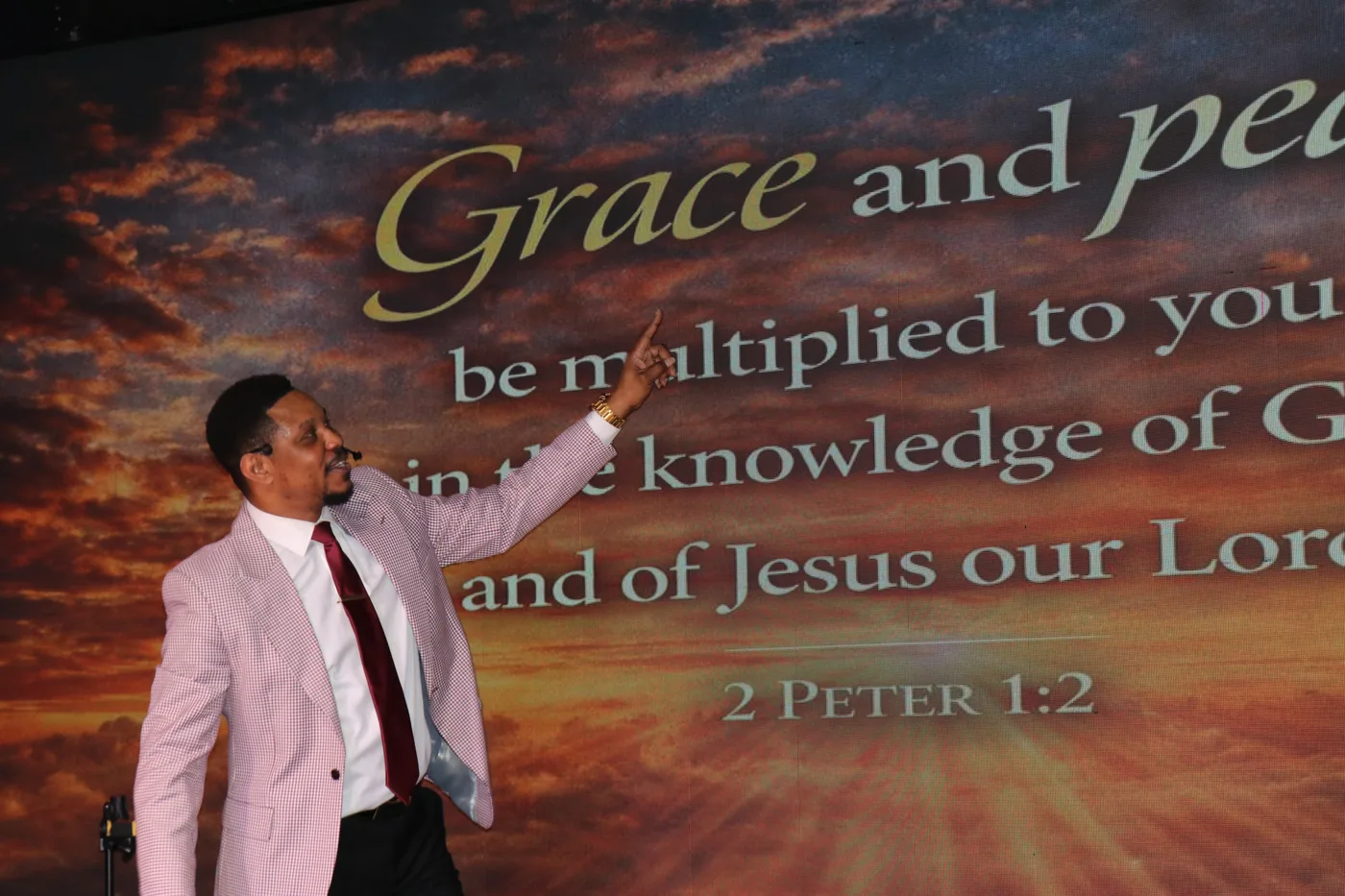
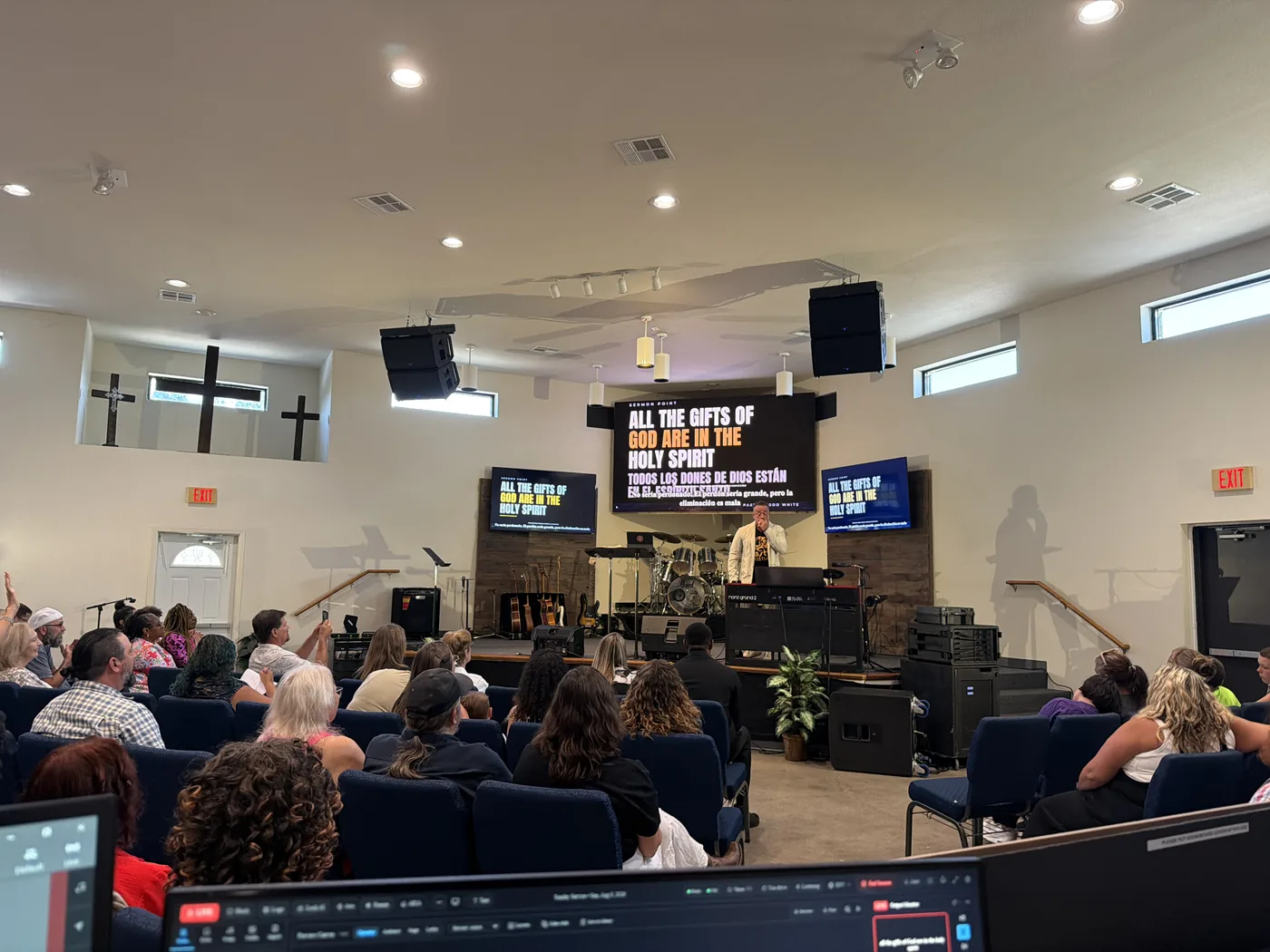
Nobody told him it was running. He found out by turning round.
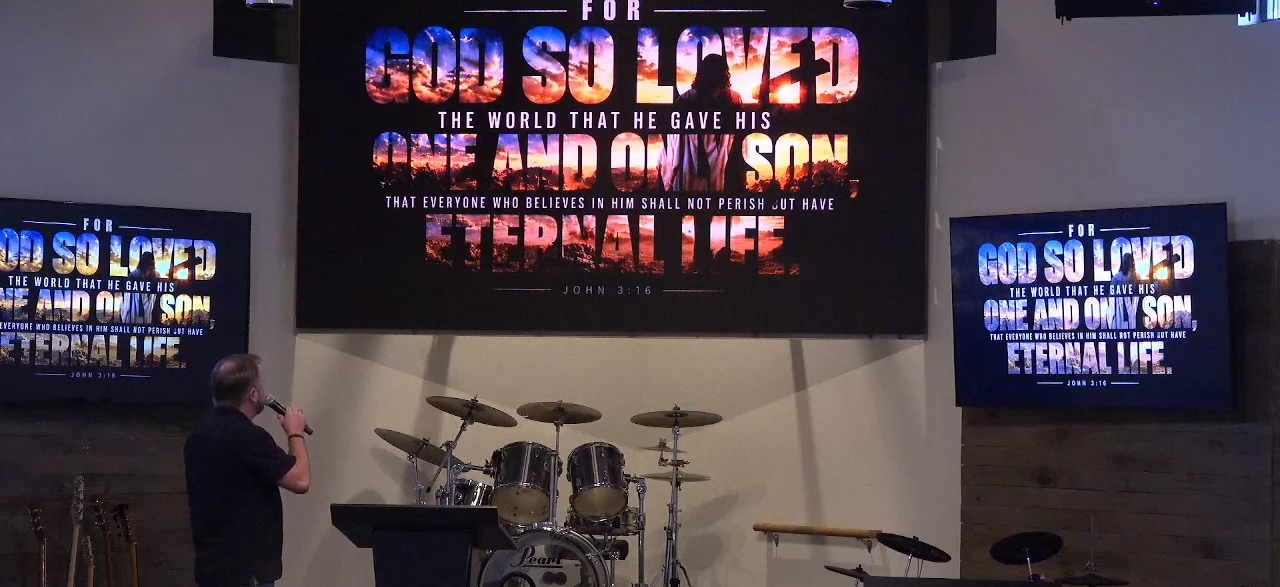
Nobody told the speaker Aria was running. He turned round mid-service, saw the passages he had been quoting already on the screens, and said this — on somebody else’s livestream, with the camera still rolling.
“You’ve been having the word up there the whole time. You are amazing. … Here I’ve been preaching and I haven’t even seen it. You got the word up there the whole time. Oh, I love it.”
Todd White, mid-service, reacting to Aria without knowing it was software — 1:49:53 into the service livestream.
He was not asked to say it and has not endorsed anything — that is the point. The photograph here is from that same service — what was on the screens behind him while he spoke, in two languages, with nobody driving it.
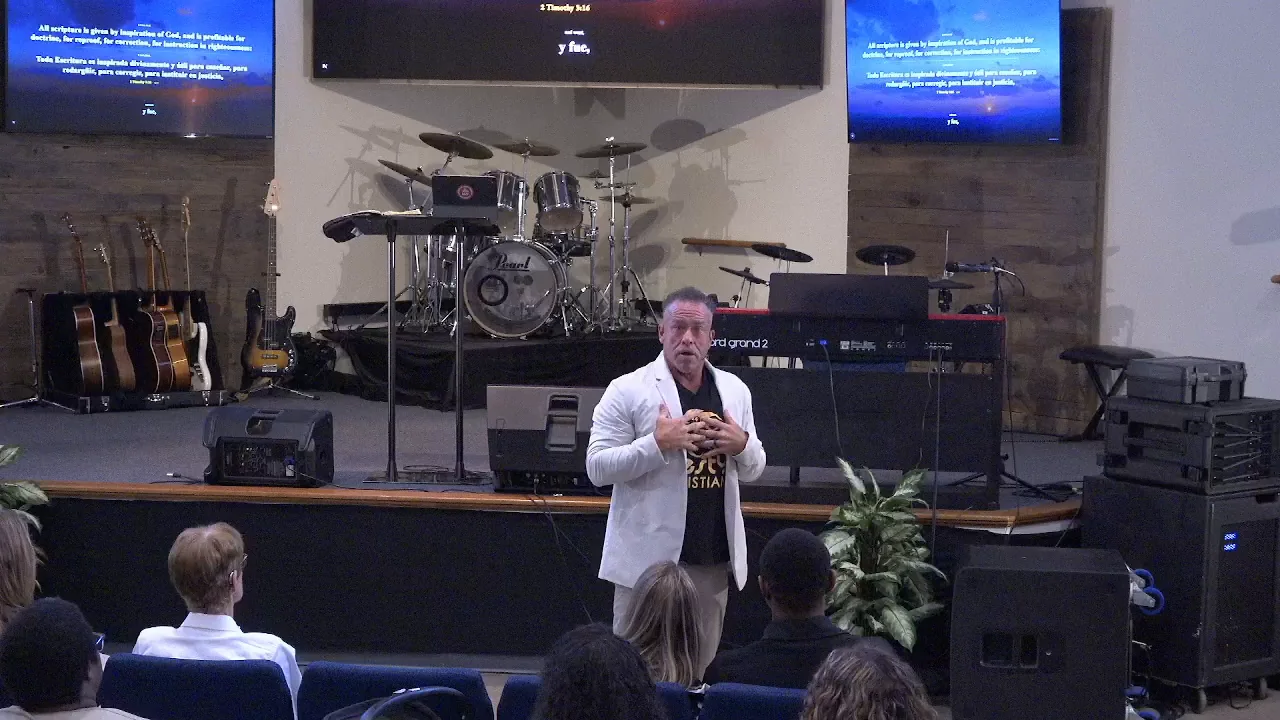
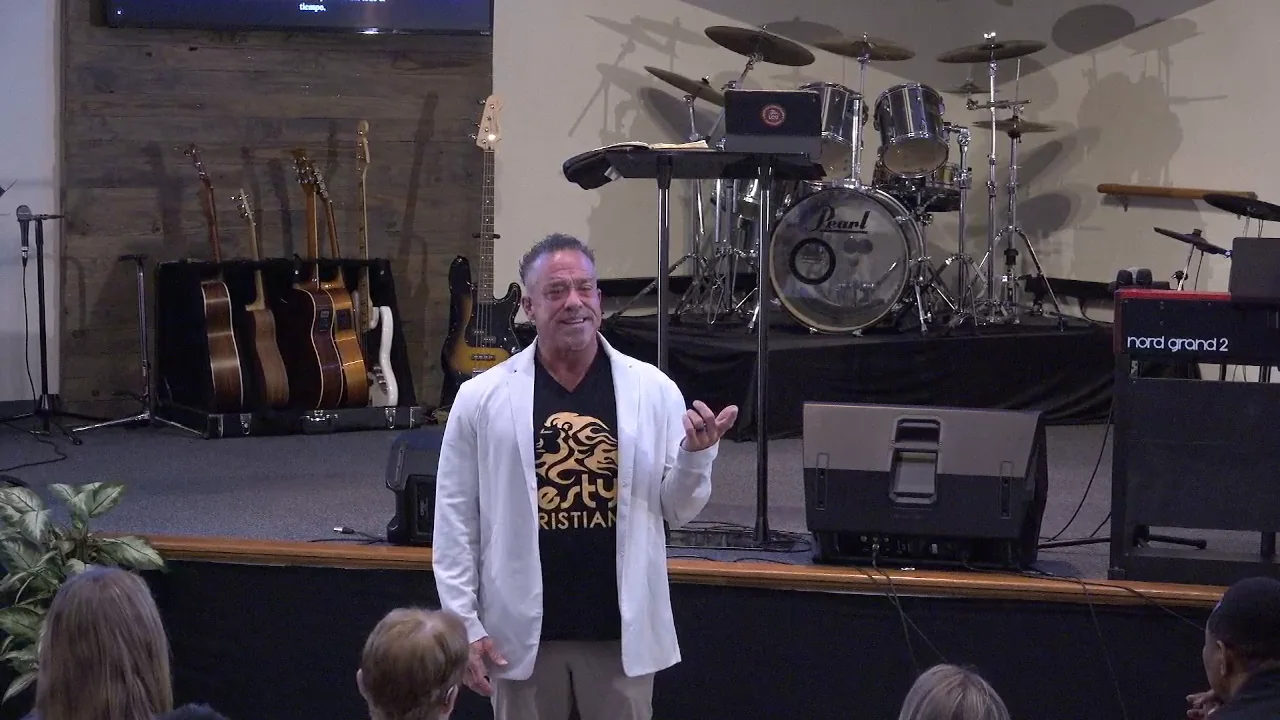 Watch the moment on YouTube — 1:49:53
Every screen in the building, from one window.
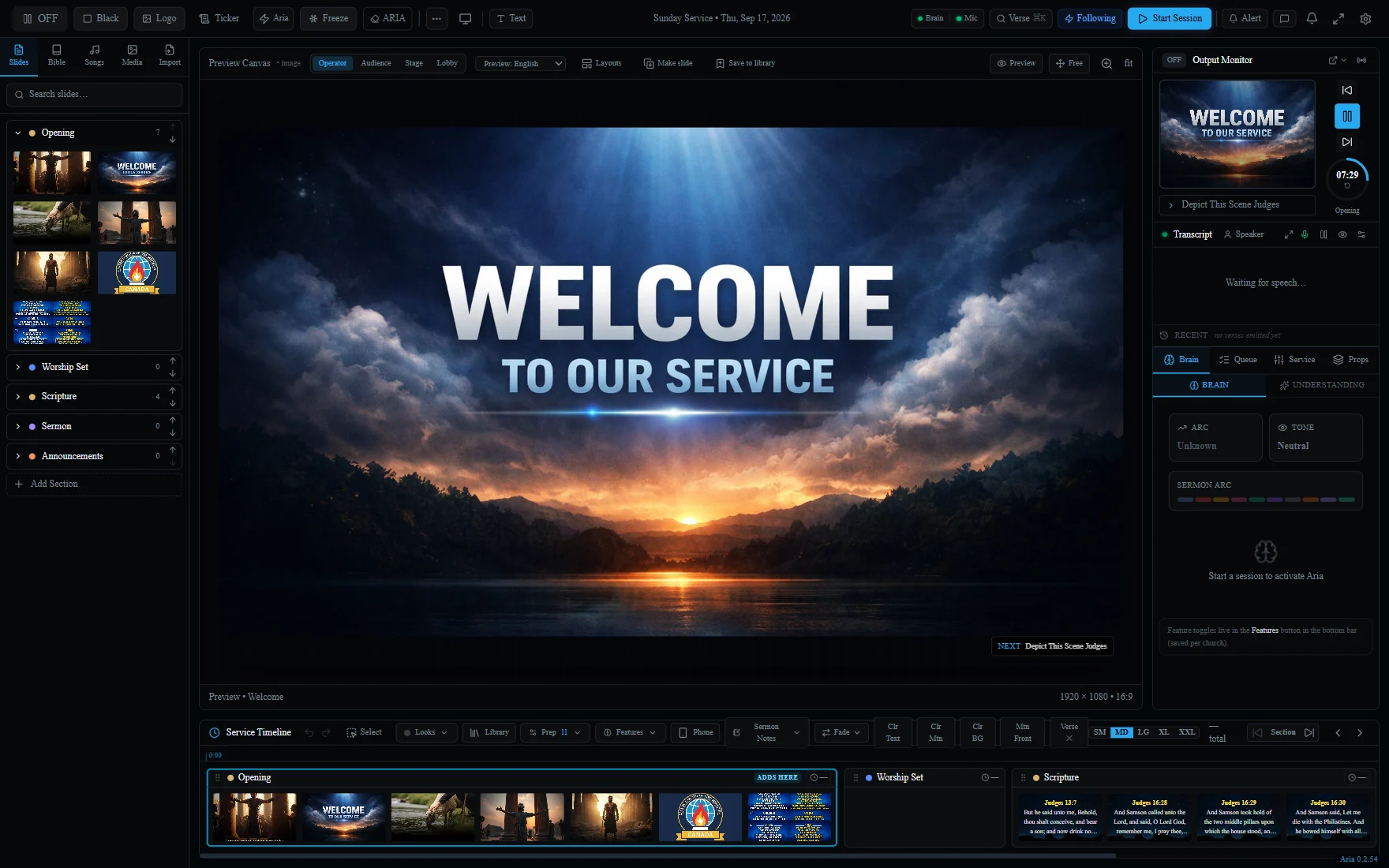
This is Aria running a service. The numbers point at what each part of it is doing — one person, one laptop, no second program open.
 1
2
3
4
5
1
2
3
4
5
- The order of service. Opening, worship, scripture, the message, announcements — reorder it live.
- What you are about to send. Nothing reaches the congregation without passing through here first.
- What is on the screen right now, exactly as the room sees it.
- What Aria is hearing. The live transcript, and the verses it has recognised from it.
- Scripture it has already found, queued and one click from the screen.
What it actually does, one thing at a time.
Aria does something that did not exist before, so nothing below is a list of adjectives — each one is the thing itself, in a real service, with the technical detail folded away underneath for whoever wants it.
Say the reference. The verse is already up.
Somebody says “Genesis one two” out loud.
Any of the 66 books, spoken the way people actually say them — “first John four eight”, “Psalm twenty three” — and the passage is on the screen before an operator could have found it, let alone typed it.
How this actually works
Aria listens on one microphone — the one the speaking already goes through — and matches what it hears against the Bibles stored on the machine. The operator sees every match before the congregation does and can refuse any of it.
- Runs on
- The church’s own computer, offline
- Bibles
- 28 translations, 14 languages, bundled
- Your own
- Imports the files ProPresenter and EasyWorship use
- Limit
- None. Detections are never counted or charged for
Say it in your own words. Aria still finds it.
Nobody has to know the reference. Not even the speaker.
Preach from memory, retell the passage, quote it loosely — Aria matches the meaning rather than the words, and the right verse still lands. This is the part that did not exist before Aria, and the part people ask about afterwards.
How this actually works
The meaning-matching runs entirely on the church’s machine, so it keeps working with the building offline. It is the same engine whether a reference was spoken or not — there is nothing to switch on.
- Runs on
- Your computer. No internet, nothing per use
- Operator
- Sees the match first and can always say no
- Said
- “In the beginning God made everything”
- Shown
- Genesis 1:1
The points go up as they are spoken.
Not a summary afterwards. During.
Aria works out what the message is about and titles it, then catches each point as it is made — including the ones that arrive without “my first point is…” in front of them — and puts them on the screen while the sentence is still going. Nothing has to be prepared or uploaded first, and a pastor who leaves the plan is the ordinary case rather than a problem.
How this actually works
- No outline needed
- Aria builds it from what is actually said. Import a plan only if you want one followed
- Also finds
- The one line the room should leave with
- Bilingual
- The same points in two languages at once
- Afterwards
- Print the whole thing as a handout
- Control
- Four settings — off, capture it quietly for the bulletin, pop each point up for the operator to approve, or let confident points show themselves
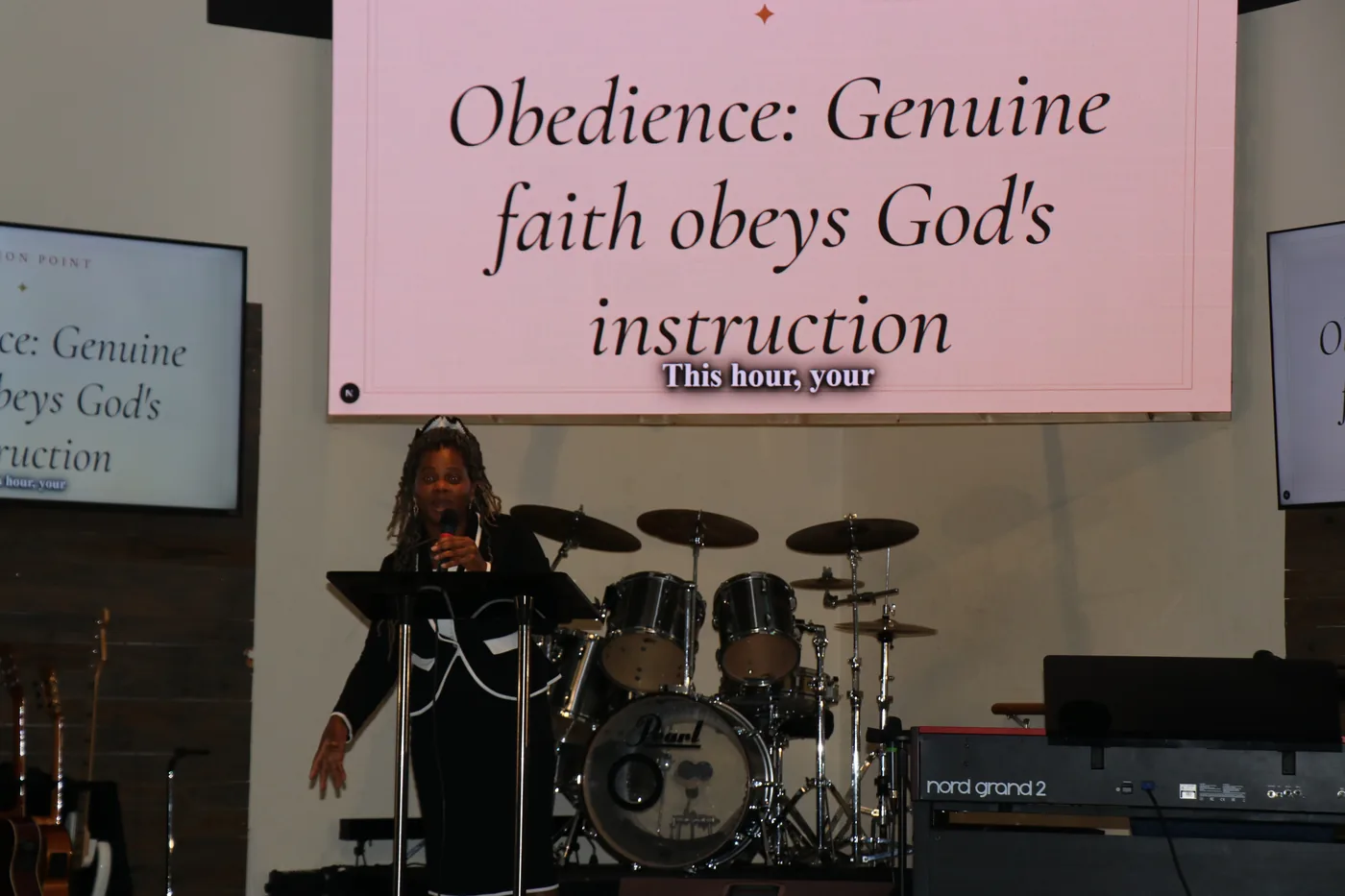
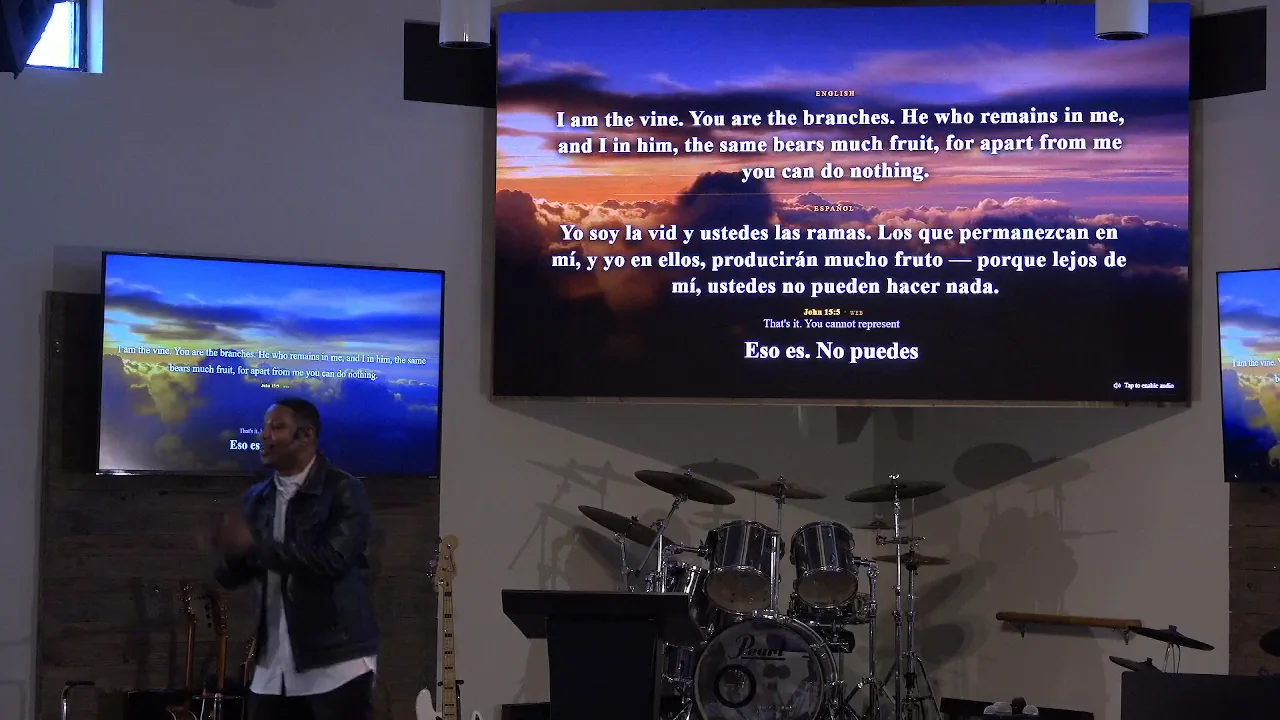
Two languages, at the same time.
The verse in English. The verse in Spanish. Both, together.
28 translations across 14 languages ship inside Aria and work with the internet down. It understands nine spoken languages and translates live between four of them, either direction — preach in Spanish with English on the screen, or the other way round.
How this actually works
- Understands
- English, Spanish, French, German, Portuguese, Vietnamese, Chinese, Arabic, Hindi
- Translates
- Between English, Spanish, French and Vietnamese, both ways
- Where
- On your machine — no internet, nothing per word
- Per screen
- The lobby can differ from the auditorium
- Captions
- Room, lobby and stream, on whichever screens you choose
Type a song name. Get the slides.
Two things, not one: it finds the words, then it builds the deck.
Aria fetches the complete lyric — every verse, the chorus, the bridge, the tags, not a fragment you finish by hand — then cuts it into slides by itself, at however many lines you want on a screen, with each section labelled. A song your team has never used is ready in about the time it takes to say its name.
How this actually works
You review the words and approve them before anything reaches a screen. Both halves are free on every plan.
- Import
- Bring your existing library rather than starting again
- Edit
- Fix a line everyone sings differently, in place
- CCLI
- Every song that reached a screen, logged with its date
- Max adds
- Lyrics that follow the singing by themselves
- Typed
- “Amazing Grace”
- Back
- Every verse, cut into slides, labelled
Your service plan, already in Aria.
The order you built on Tuesday, on the screen on Sunday.
Aria reads an upcoming plan straight out of Planning Center Online and turns it into its own sections and slides — the same order, the same songs, nothing retyped. The songs come from CCLI SongSelect the same way, with their numbers attached so the reporting fills itself in. Two places most churches already keep Sunday, and neither of them has to be copied out by hand the night before.
How this actually works
Both are your own accounts. Aria connects to them; it does not resell them.
- Planning Center
- A personal access token you create, kept on your own computer
- Where the call is made
- By Aria on your machine, not by the browser
- SongSelect
- Needs your church’s own SongSelect subscription
- What arrives
- Sections, songs and slides you can still reorder live
- In Planning Center
- Welcome · Amazing Grace · Reading · Message
- In Aria
- The same four, as sections, with the song already built into slides
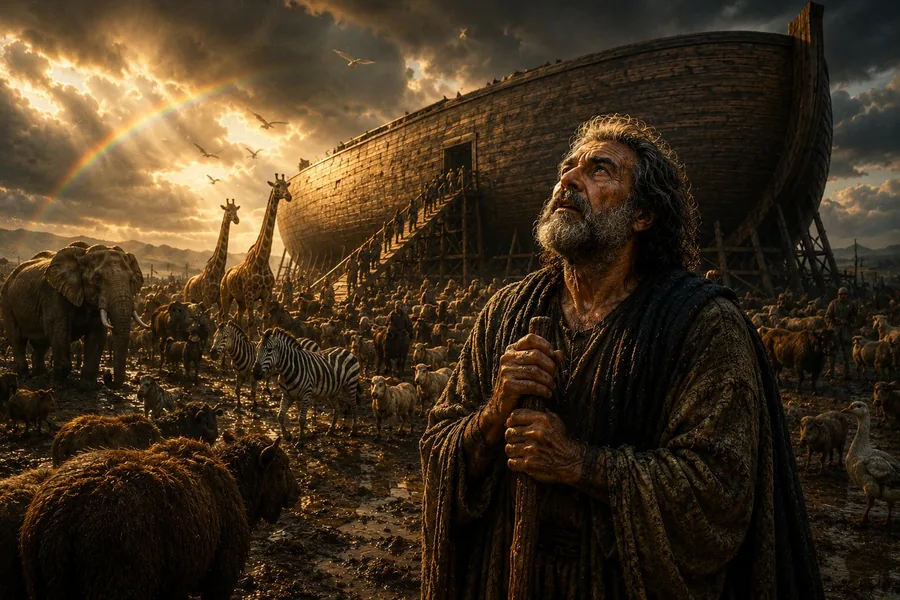
A picture of what the verse is actually about.
Not a stock photo of a sunset. The thing the passage describes.
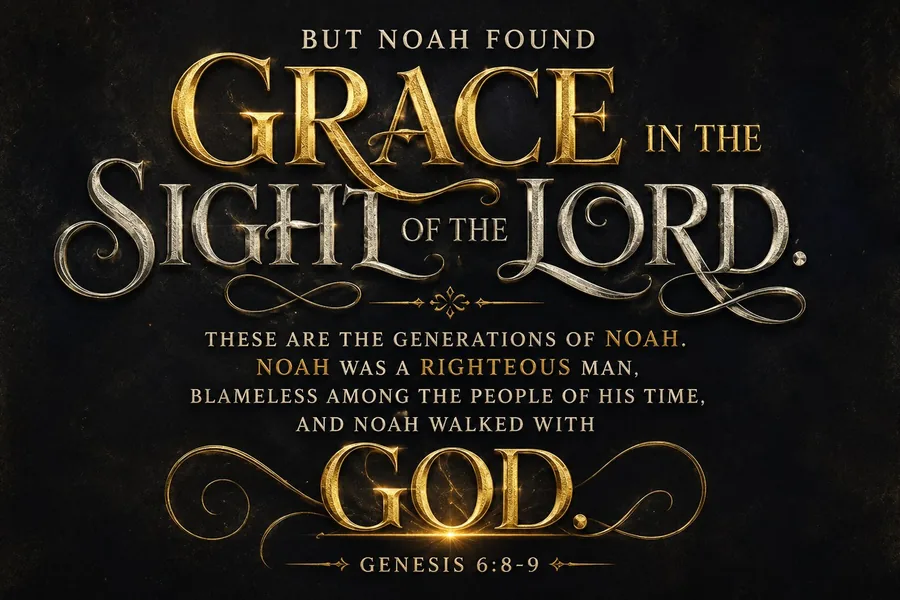
Say the verse and the background becomes the scene it is describing, in the look your church picked once — so every verse for the rest of the service matches. These six are Genesis 6, made by Aria, in six of them.
How this actually works
- Looks
- Cinematic, classical, photoreal, period, illustrated, designed text
- Allowance
- 100 images a month on Pro, 250 on Max
- Kept
- Everything you make stays in your library and never expires
- By hand
- The studio opens on every plan for cropping, text and layout




Every screen in the room, and the one online.
Audience, stage, lobby, stream — each showing what that audience needs.
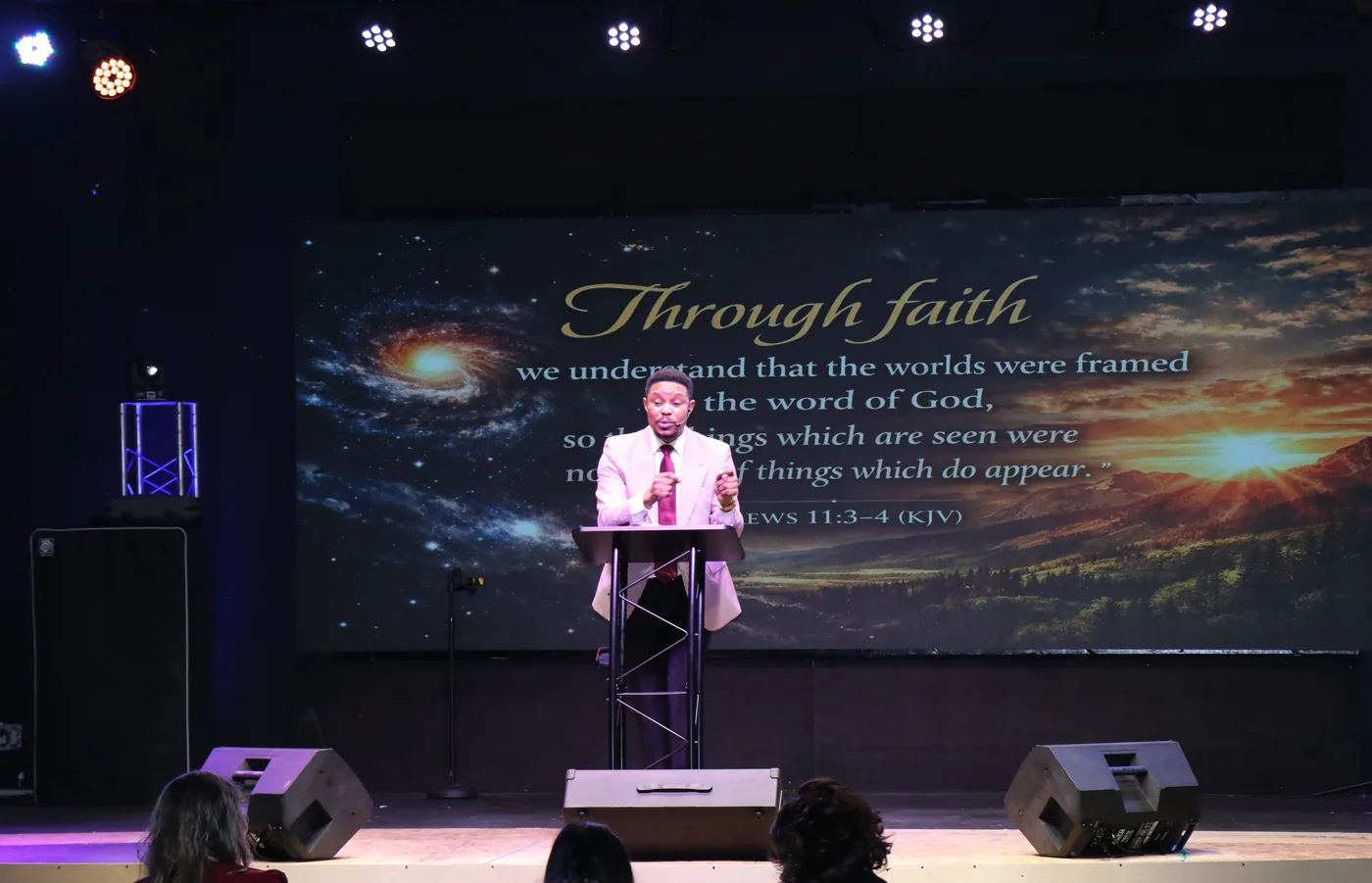
Not one picture mirrored four times. The stage sees what the speaker needs, the lobby sees something else, and what goes out to your stream matches the wall without anyone pointing a camera at it.
How this actually works — for whoever runs the tech
Aria publishes its screens over the network to your streaming software, so the stream takes a clean feed rather than a filmed one.
- To your stream
- Feeds published over NDI, picked per output
- Ready made
- Audience, stage, lobby, stream — plus captions-only, lyrics-only and verses-only
- How many
- As many as your computer can drive. No cap in Aria
- Replug
- Screens return to the right output, matched by name
- Stage
- Send a message or a countdown only the speaker sees
And the hundred smaller things.
Aria is church presentation software — the verse, the songs, the notes and the announcements, on every screen in the building. Everything a verse detector does, and then the rest of the service.
And you decide how much it does on its own. Every feature is off, ask me first, or automatic — chosen separately, so one church approves every slide and another leaves it to run. It ships asking.
The eight above are the ones worth watching. This is the rest — and the whole presentation side is free on every plan, forever: every screen, every layout, all 28 Bibles, the songs and the verse detection. You are paying for the thinking, not the projecting.
What this actually changes on a Sunday
- Nobody has to sit at the computer for the whole service
- A volunteer can run it the first time they touch it — there is no cue list to build and nothing to rehearse
- Saturday night prep goes from a couple of hours to a few minutes
- The speaker can go off-plan and the screen keeps up
- Nothing appears that you did not allow — you choose what Aria may do by itself
- When the internet drops, the service carries on
- One person can cover a service instead of three
Scripture on the screen
- Say the reference and the verse appears — plain matching, no AI involved, nothing leaves the buildingFree
- Say it in your own words and Aria still finds itFree
- It waits for the whole reference. “Turn to Genesis chapter one” puts nothing on the screen — say the verse, or quote it, and it appearsFree
- Aria reads the story as it is told and brings the passage behind itSoon
- Search by what a passage is about — love, forgiveness, patience — and Aria finds the verses, with no reference to look upFree
- Reads through a paraphrase in a second language, not just English
- Nothing reaches the screen unless you allow it — every feature is off, ask-first, or automatic, and you decide whichFree
- The approval queue: Aria suggests, you tap to send, exactly like the software you use now
- Say “next verse” or “go back” and it moves — spoken navigation, in nine languages, with no AI in the loopFree
- The verse that just went up, one click away again
- Highlight the words that matter inside a verse
- Choose how scripture looks — size, position, background
Everyone can follow
- 28 Bible translations included, 14 languages, offlineFree
- Add the Bible your church already owns — it reads ProPresenter and EasyWorship files
- Aria understands 9 spoken languages
- Live translation between 4 languages, either direction
- Two languages on one screen, side by side or stacked
- Captions for the room, the lobby and the stream
Worship
- Find any song by name — Aria fetches the complete lyricsFree
- Aria splits it into Verse 1, Chorus, Bridge and lays the whole song out as finished slides — in seconds, not a morningFree
- Lyrics that follow the singing by themselvesMax
- Bring your existing song library in, and edit words in place
- Search and import songs from CCLI SongSelect
- Backgrounds that move behind the words, on any slide Aria made
- A proper workspace for arranging Sunday’s setPro
Running the service
- Plan the whole service in order, and reorder it live
- Save your own running order as a template, so every Sunday starts from your sections instead of a blank page
- Import Sunday’s plan straight from Planning Center Online
- Aria Remote — drive the whole desk from a phone, anywhere in the room
- Put a slide on the screen at a set time — the countdown at 10:25, the welcome at 10:30 — without anybody standing at the computer
- Give each slide its own time and let the set run itself, or share a section’s minutes evenly across its slides
- Aria hears the service move on — the welcome, the offering, the close — and puts the right slide up on its own, from your own images or the set it ships with
- Send a message to the stage the congregation cannot see
- Countdowns the room can see and timers the stage can see
- A screen for every part of the room — audience, stage, lobby, stream, captions only, verses only, images only, and two print layouts
- Screens that remember where they belong when you replug a TV
- Your CCLI reporting, filled in for you
- Keyboard shortcuts for the whole desk
Sermon notes, written as it is spokenPro
- Finds the topic on its own and titles it
- Catches each point as it is made
- Pulls out the key takeaway
- Puts them on the screen automatically
- Notes in two languages at once
- Print the notes as a handout
Artwork without a designerPro
- The verse with the scene behind it — sheep in a sunlit forest for Psalm 23, the earth from space for Genesis 1, doves over the water for a baptism. Not a stock photo: what the passage is actually describing
- And it can move. The clouds drift, the candles flicker, the water ripples behind the words
- You choose how it looks — photographic, cinematic, or illustrated for the children’s talk
- Pin a picture or a clip to a particular verse, and it is there every time that verse goes up — your baptism footage behind Romans 6, every time, in every service
- Clips ship inside Aria, ready to use. Adding your own is one button, and there is no prompt to write
- Turn a block of scripture or notes into a finished deck
- One button and you have the slide, for the announcement nobody warned you about
- Turn any line of your notes into an image, no prompt to write
- Edit and restyle any image by hand — the studio itself is free
- Everything you make, kept, described and searchable
The basics, done properly
- As many screens as your computer can drive — no cap in Aria
- It all lives on your own computer — no upload, no storage tier
- It keeps working when the internet does not
- It updates itself, and never during a service
- Decide how much Aria does on its own, with an approval queuePro
Coming next
- Images that appear by themselves, matched to the messageSoon
- Scripture found inside the story being toldSoon
- Finished lyric slides, with the words typeset by AriaSoon
- One look held across a whole sermon seriesSoon
- Cameras that switch themselvesSoon
What it costs.
Every plan has all of Aria in it. What changes is how much it listens and how many images it makes — so a church meeting twice a week pays for that, and a church meeting once does not.
Free trial
$0 no card
To find out whether it works in your building, on your microphone.
- Five hours of listening, once — it does not refill each month the way Pro and Max do. The clock runs whenever the microphone is on, worship and quiet moments included, so switching it off between items makes it go further
- The whole product, not a cut-down one
- Ten generated images to try, once — the same artwork Pro and Max make
- Sermon notes included
- Aria warns you before it runs out — it never stops mid-service
Nothing to cancel.
Free
$0 forever
When the trial ends, this is what you keep. No card, no expiry.
- The whole presentation side — every screen, every layout, the stage and the stream
- All 28 Bibles in 14 languages, plus the one your church already owns
- Type a song name and get finished slides — and your CCLI reporting filled in
- Captions, translation, and the phone remote
Aria stops listening, and the artwork generator stops — you drive it. Everything else on this list is yours to keep.
Pro
$20 / month
A church with a Sunday service, and room for midweek.
- 15 hours of listening a month, plus 5 hours of singing
- 100 generated images a month
- Sermon notes, verse artwork, Quick Create and the AI Split
- The songs workspace and the approval queue
Cancel from inside Aria, any time.
Max
$35 / month
Several gatherings a week, or more than one campus.
- 30 hours of listening a month and 10 hours of singing, twice Pro on both
- 250 generated images a month
- Lyrics that follow the singing by themselves
- Artwork prepared during the week from the topic
- Support around the clock, and a Zoom call when you would rather be shown than told
Everything in Pro and everything in Free is included.
You don’t have to decide now.
Download it, run a service on it, and see whether it holds up in your building on your microphone. There is no card to enter and nothing to cancel if you walk away. The listening allowance is checked before a service begins, never during one.
Questions churches ask first.
Does it need the internet during a service?
No. The 28 Bibles, the verse detection, the paraphrase matching and the offline translation all run on your own computer. If the building loses its connection mid-service, scripture, lyrics and every screen carry on. Only the parts that genuinely need the internet — sermon notes and making new images — pause, and those are the parts you can lose for an hour without anyone in the room noticing.
What if it puts the wrong verse up?
The operator sees everything before the congregation does and can override any of it. Aria proposes; the person at the desk decides. You can also turn its independence down to an approval queue, where nothing goes out until someone says yes.
Does someone still have to run it?
Only if you want one there. Every feature has three settings — off, ask me first, or automatic — so a church with nobody free on a Sunday can set the lot to automatic and let it run, and a church that would rather approve each slide can have that instead, on the same software. Aria ships asking, because that should be your decision rather than ours. And whoever is watching can step in from a phone, from any seat in the room.
Is our audio being recorded or sent somewhere?
Your recording is never sent to us. Aria can share what it decided during a service — which verse it showed, which song line it matched and what it heard — so we can see why it got something wrong. That is optional and you can switch it off at any time.
Can we keep the Bible translation we already use?
Yes. 28 translations across 14 languages ship inside Aria, every one either public domain or properly licensed for church use, so there is nothing for you to arrange. If your church holds a licence for a different one, import it — Aria reads the same files ProPresenter and EasyWorship use, so you are not retyping anything.
Will it work on the computer we already have?
If it runs 64-bit Windows 10 or 11, it will run Aria. The download is large because everything ships inside it, including the Bibles — a church computer in a back room should not have to fetch anything on a Sunday morning. It is about 20 minutes, once.
How many screens can it drive?
As many as your computer has outputs for. Audience, stage, lobby and stream are ready made, plus captions-only, lyrics-only and verses-only outputs, and you can create your own on top of those. There is no cap inside Aria. Unplug a TV and plug it back in and the right output returns to the right screen, matched by name.
What happens when the free services run out?
Aria tells you before it happens, and the allowance is checked before a service starts rather than during one, so it cannot cut out partway through. If you don't subscribe, the parts that cost us money stop. Everything that lives on your machine — the Bibles, the screens, the songs, the verse detection — keeps working.
Run the service, not the software.
1.45 GB Windows 10 and 11 · 64-bit Installs in about 20 minutes, once